
All guides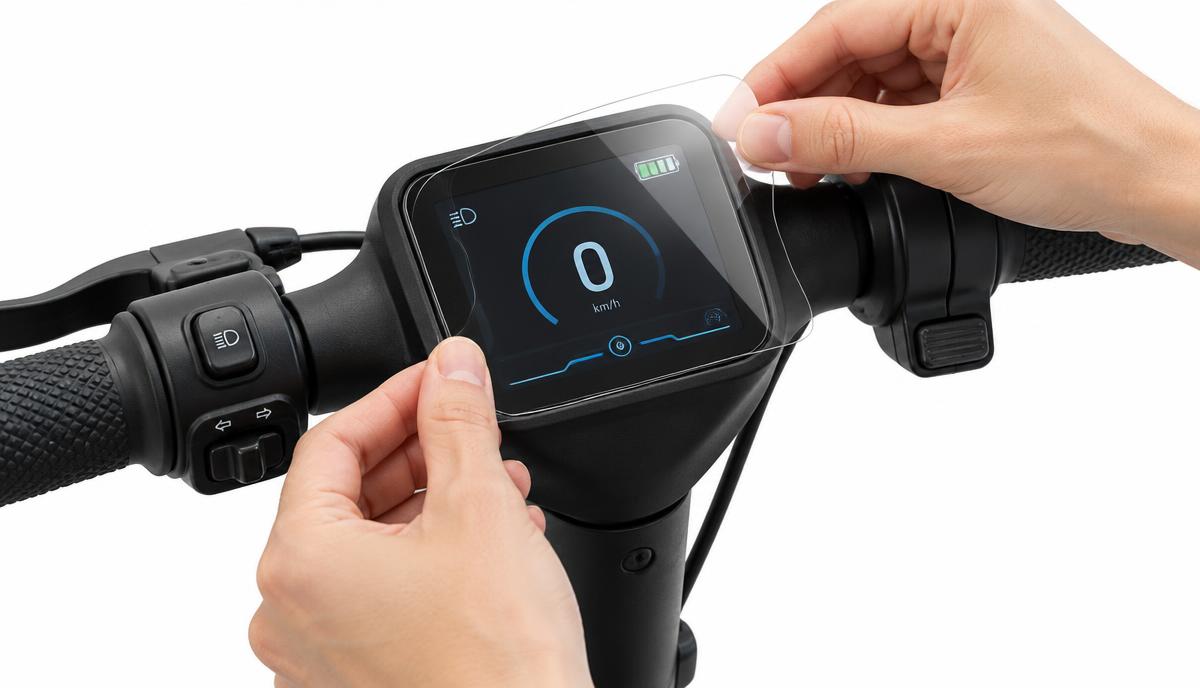
Accessories · 5 min read
Top 5 Essential Accessories to Protect Your TVS iQube Screen Guard
Keep your TVS iQube's display and body looking new with five practical accessories — starting with the right screen guard.
Why the iQube display needs protection
The TVS iQube's TFT display sits in direct sunlight, rain and dust every day. Scratches and glare make it harder to read navigation and battery range while riding.
The top 5 accessories
- Screen guard — a tempered glass or matte film cut for the iQube display reduces scratches and glare.
- Body cover — a waterproof, breathable cover protects the screen and paint when parked outdoors.
- Crash / leg guard — helps protect side panels in a low-speed fall or parking knock.
- Mudguard extension — keeps road spray off the floorboard and your shoes in the monsoon.
- Seat cover — protects the seat from heat, cuts and tears.
How to fit a screen guard without bubbles
- Work indoors, away from dust, with the scooter switched off.
- Clean the display with the wet wipe, then the dry cloth from the kit.
- Use the dust-removal sticker to lift any remaining specks.
- Line up the guard edges before peeling the backing fully.
- Press from the centre outwards with a card to push out air.
Care tips
Clean the screen with a soft microfibre cloth only. Avoid household glass cleaners, which can damage anti-glare coatings.
Need genuine replacement parts?
Shop TVS iQube accessories